
Document Conversion Guide
Complete guide to the Document Conversion tools — 10 format converters for PDF, PNG, JPG, JPEG, and BMP to Word and Excel with layout-aware AI.
What Document Conversion does
Document Conversion provides ten targeted format-to-format pipelines that convert files into clean, editable Word or Excel documents. Each pipeline uses the same layout-aware AI engine to preserve structure, handle stamps and watermarks, and extract data accurately.
Supported conversion types
| Source Format | → Word | → Excel |
|---|---|---|
| PDF → Word (.docx) | PDF → Excel (.xlsx) | |
| PNG | PNG → Word (.docx) | PNG → Excel (.xlsx) |
| JPG | JPG → Word (.docx) | JPG → Excel (.xlsx) |
| JPEG | JPEG → Word (.docx) | JPEG → Excel (.xlsx) |
| BMP | BMP → Word (.docx) | BMP → Excel (.xlsx) |
Each conversion runs as an independent job with its own status tracking and download.
How to use
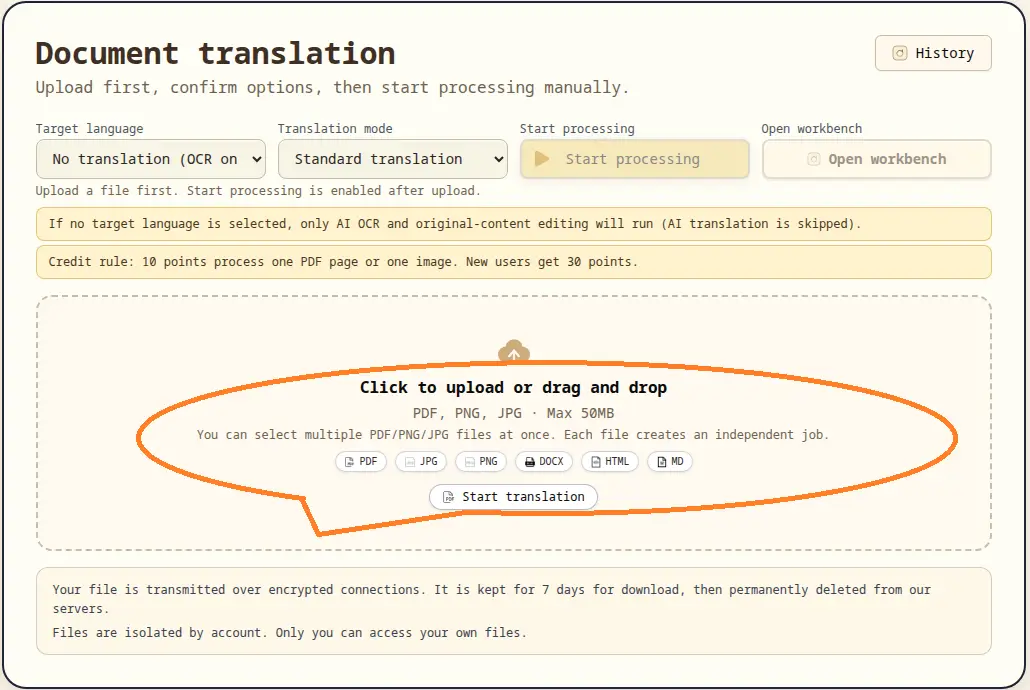
- Navigate to the conversion page for your needed format pair (e.g.,
/pdf-to-word). - Upload your source file — click or drag the file into the upload area.
- For PDF sources, optionally specify page numbers to process.
- Click Start Processing to begin the AI conversion pipeline.
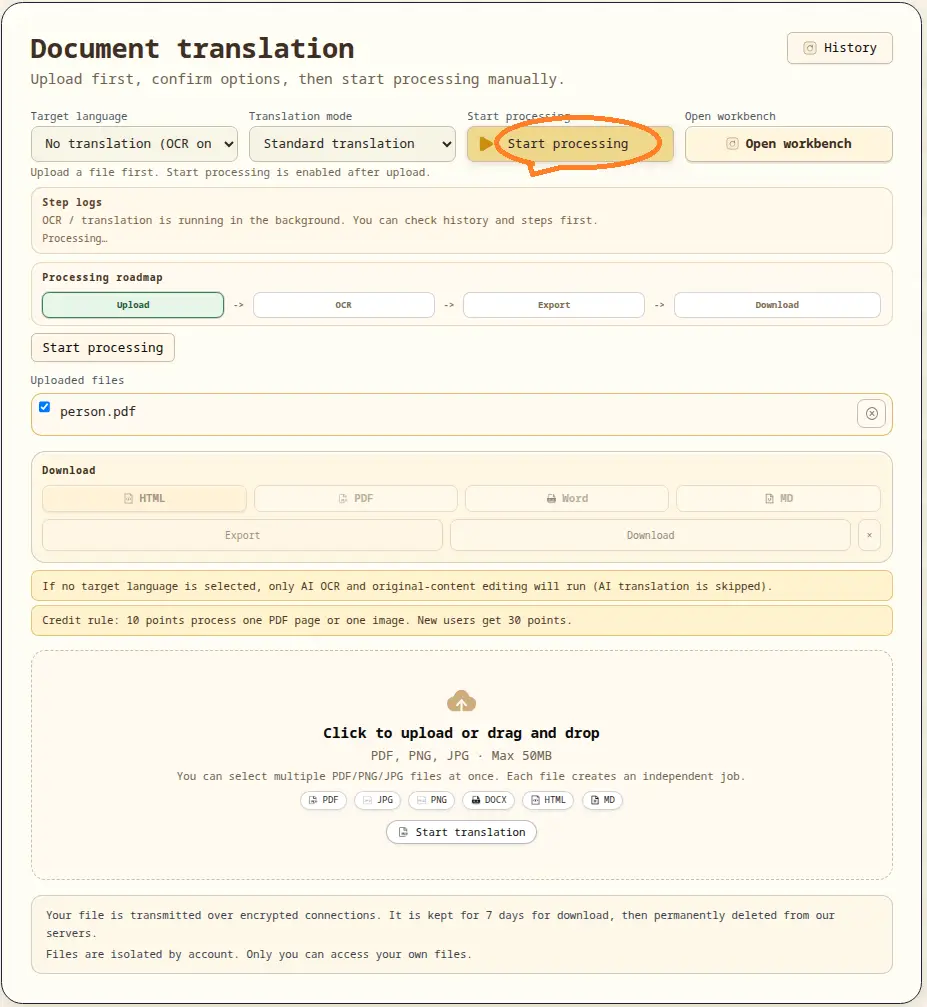
- Track progress through the step indicators (Upload Complete → Converting → Ready).
- Download the converted file when the status reaches Ready.
Progress tracking
- Three visual steps: Upload Complete, Converting, Ready to Download.
- A percentage bar shows real-time conversion progress.
- The progress log panel records each pipeline step with timestamps.
Download and retry
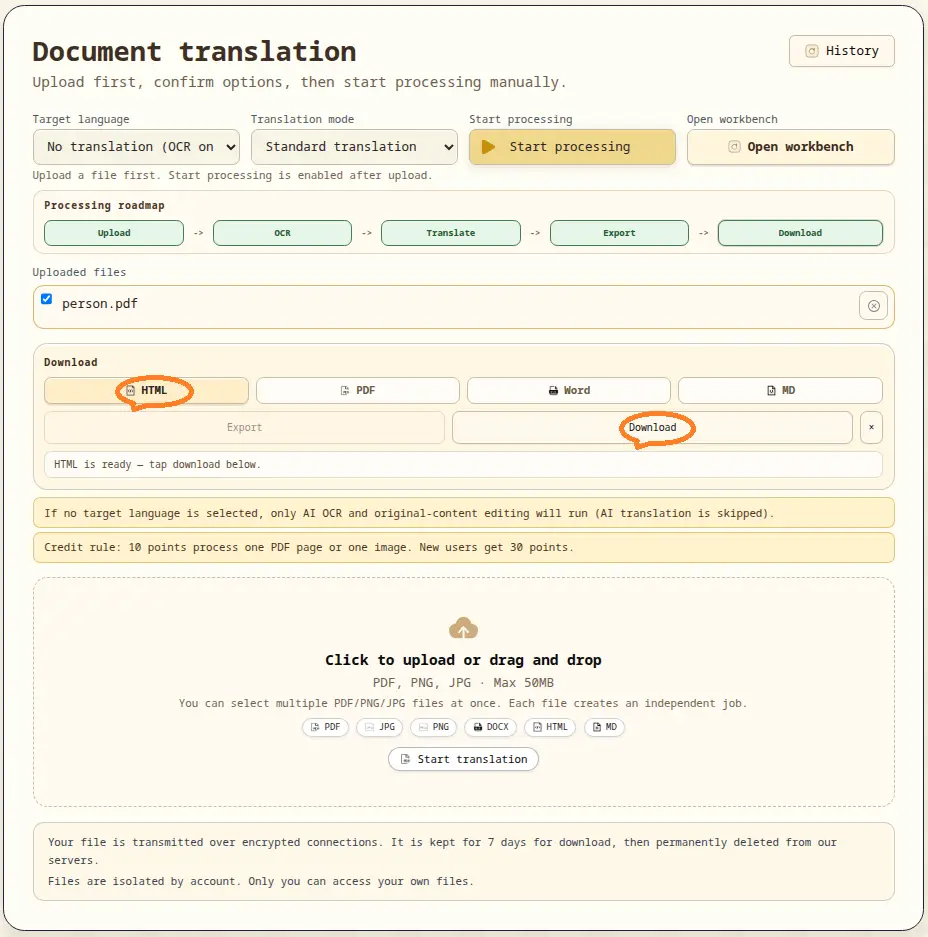
- When a job reaches
readystatus, the Download button activates. - The file is also auto-downloaded when conversion completes.
- Failed jobs can be retried via the Retry button.
- Past conversions are accessible through the History panel for re-download.
Credits and task boundaries
- Each conversion job consumes credits based on content volume.
- Jobs are isolated per account. Only you can access your files.
- Converted files are retained for 7 days, then permanently deleted.
Legal and payment notice
For legal terms, privacy, and payment processing, see our Privacy Policy and Terms of Service.