
Product Documentation
Product overview for Online PDF Translator, including upload flow, workbench editing, exports, and compliance links.
Online PDF Translator
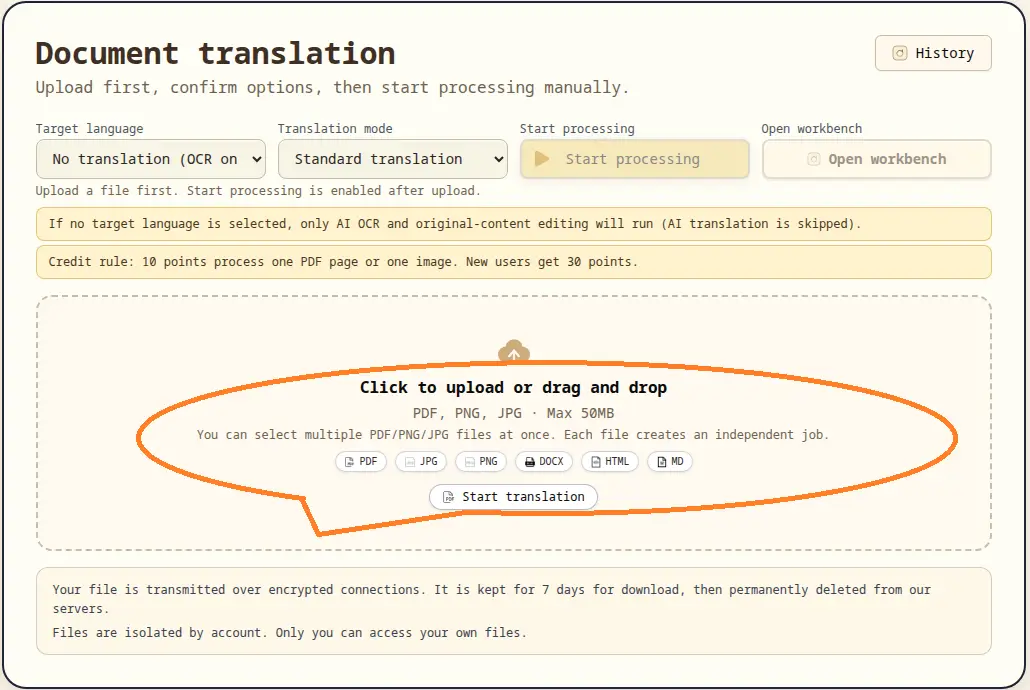
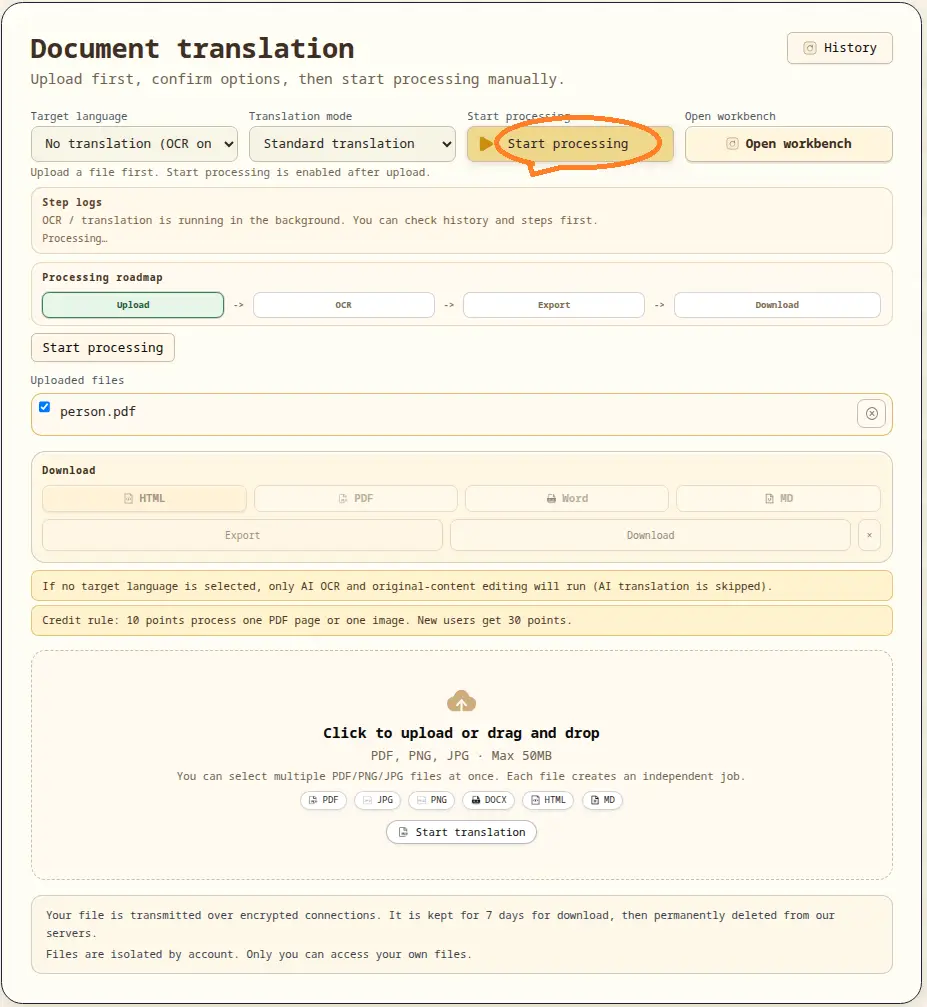
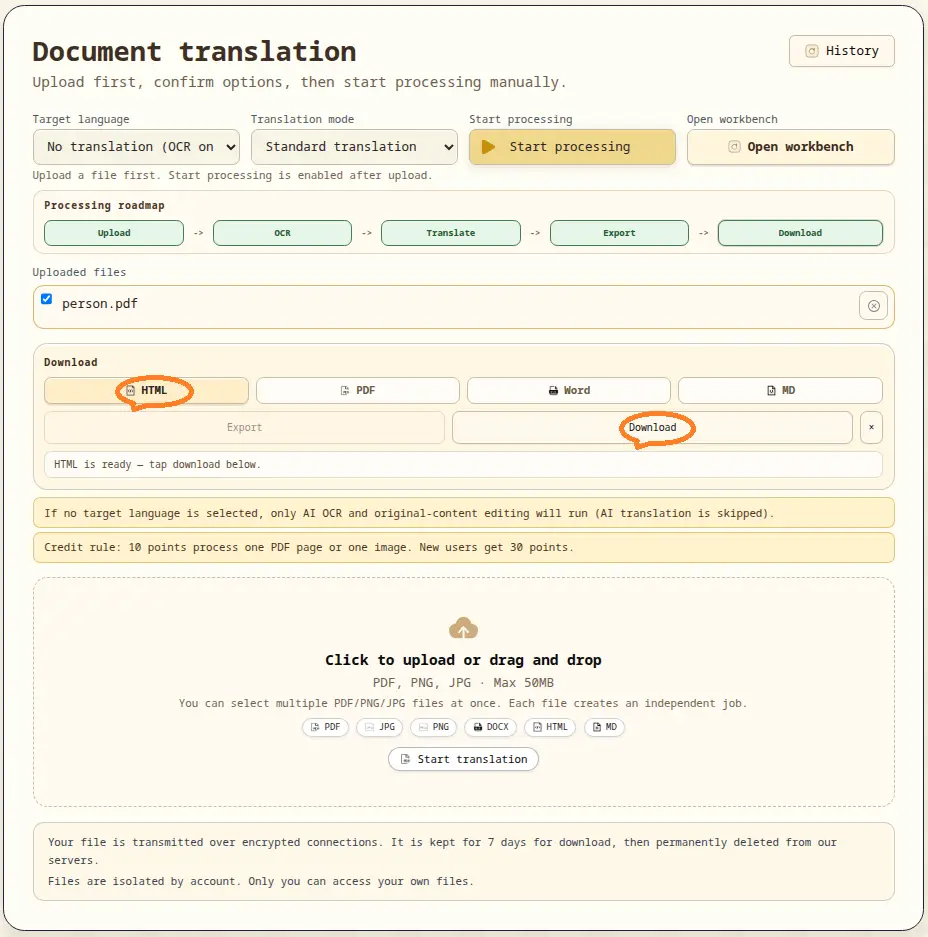
Online PDF Translator is a production workflow for document localization. It combines upload, OCR parsing, optional translation, workbench editing, and multi-format export into one controlled pipeline.
Quick Navigation
Upload
Create jobs, confirm options, and start processing manually.
Go to Upload
Translator
Open workbench, refine parsed content, then export and download.
Open Translator
Document Compare
Compare any two documents side-by-side — PDF, Word, images. AI detects every insertion, deletion, and modification.
Go to Document Compare · Compare Guide
Document Converter
Ten format converters — PDF/PNG/JPG/BMP to Word and Excel with layout-aware AI.
Go to Document Converter · Conversion Guide
Pricing
Check plans, credits, and billing rules before production use.
View Pricing
Legal
Review legal terms, privacy, and payment processing policies.
Privacy Policy · Terms of Service
Core workflow
- Upload PDF or image files in
Upload. - Confirm target language and processing options.
- Start processing manually and track status.
- Open the task in
Translatorworkbench for review and adjustment. - Export and download in the format you need.
Legal and payment notice
For legal terms, privacy, and payment processing, see our Privacy Policy and Terms of Service.